Angular Series - 08 - Modern Data Passing: The `input()` Signal
Technical Staff
FilterB Editorial
1. The Main Idea: Signal-Based Inputs
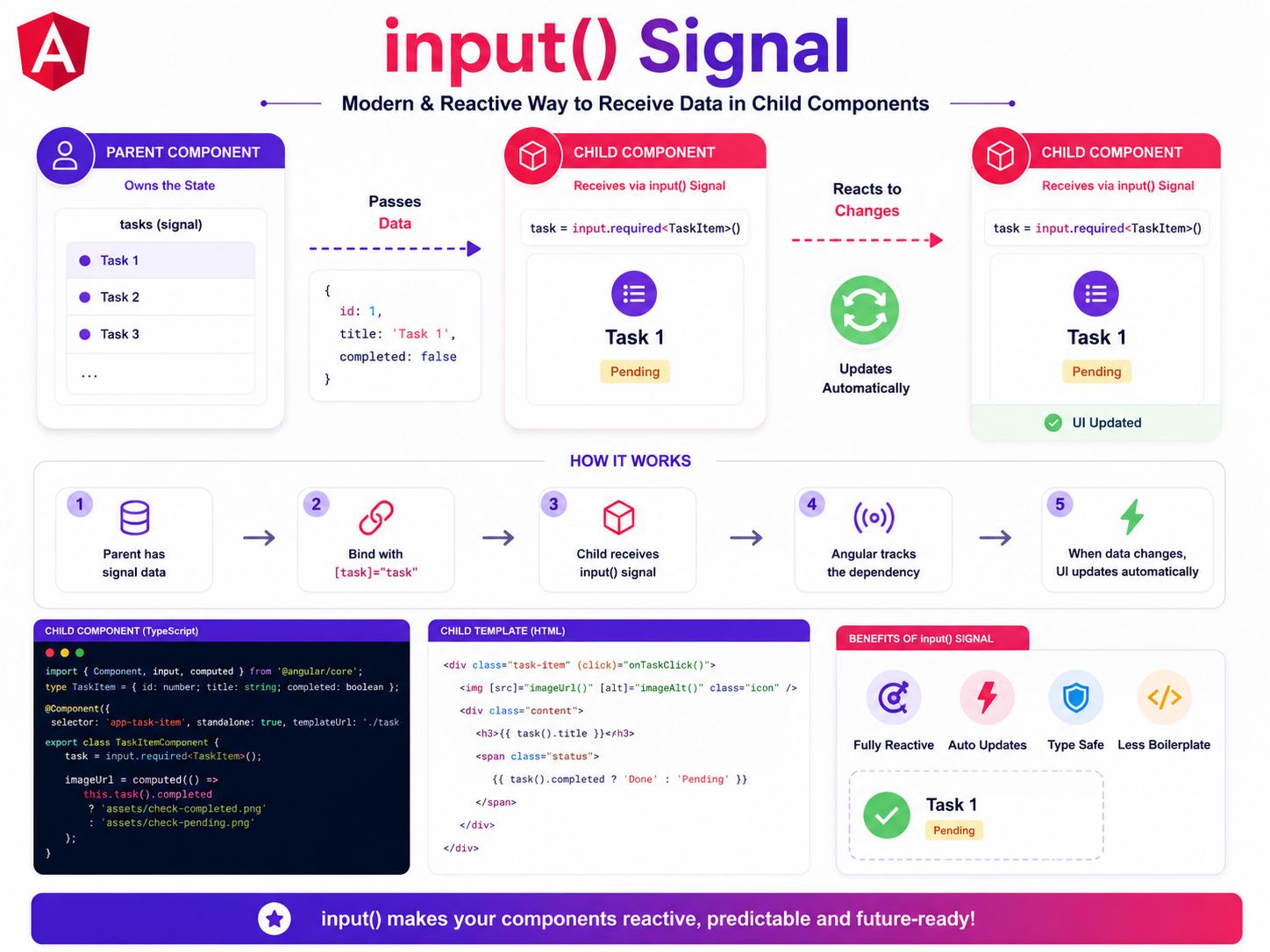
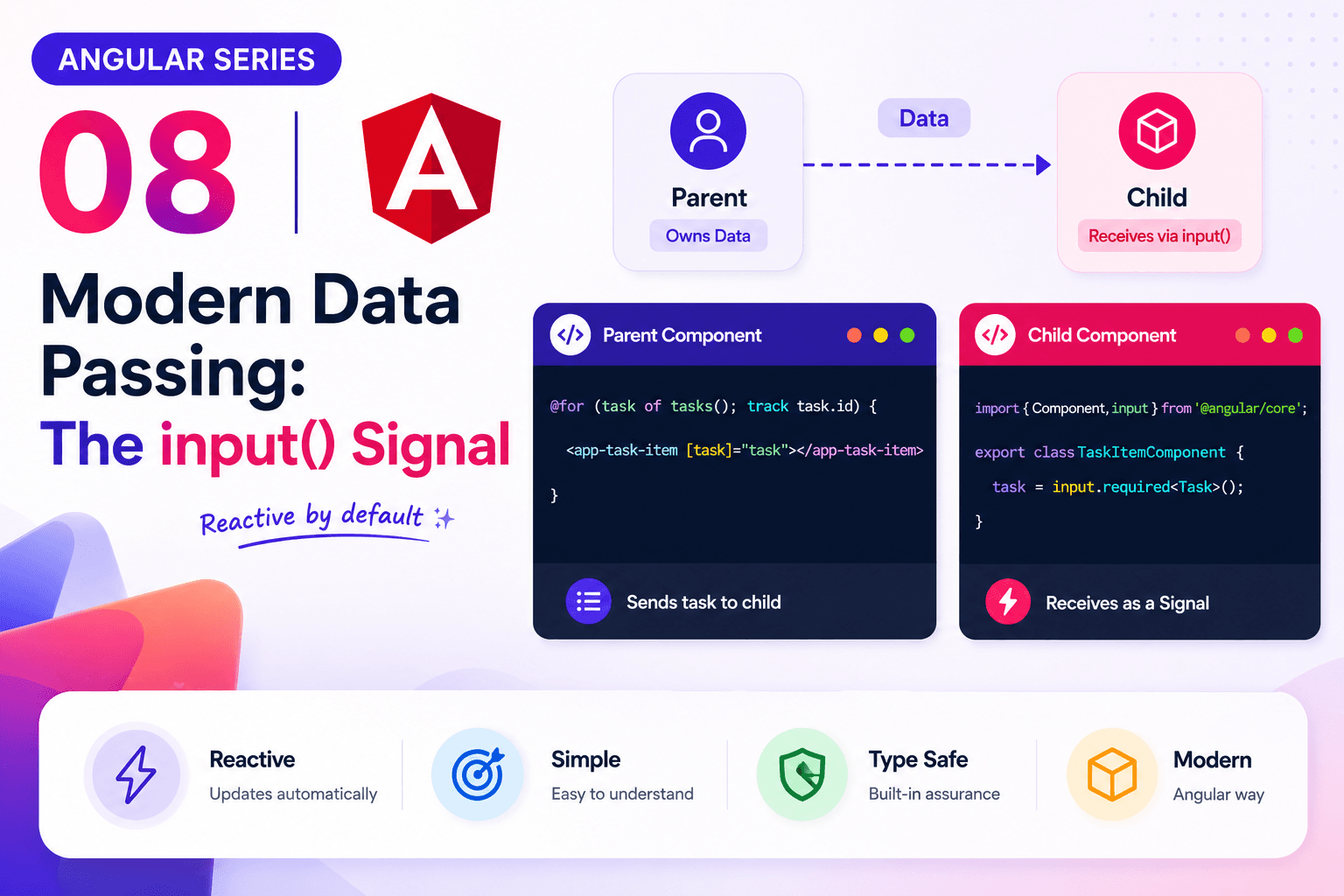
The overall goal of the input() signal is exactly the same as the older decorator: the parent component holds the master data, it passes a single piece of that data down, and the child component receives it to render the UI.
The massive difference is that Angular now wraps that incoming data in a reactive signal. Instead of just handing the child a static object, Angular hands the child a live, trackable data stream. This means your component inputs now work perfectly and natively alongside signal() and computed(), creating a seamlessly reactive application.
2. The Modern Syntax Breakdown
Let's look at how we declare this modern input inside our task-item.ts child component. We drop the @Input decorator entirely and use the built-in input function from @angular/core.
// task-item.ts (Child Component)
import { Component, input } from '@angular/core';

export type TaskItemShape = {
  id: number;
  title: string;
  completed: boolean;
};

@Component({
  selector: 'app-task-item',
  standalone: true,
  templateUrl: './task-item.html'
})
export class TaskItem {

  // The modern signal-based input
  task = input.required<TaskItemShape>();

}
Let's break down every single piece of this line so you understand exactly what it does:
task: This is the name of our input. This is the exact name the parent component will use to bind the data (e.g.,[task]="...").input: This function creates the reactive input signal. It tells Angular, "Watch this pipeline for incoming data.".required: This enforces a strict rule. It tells Angular that the parent component must provide this data. If the parent forgets, the application will throw a helpful error instead of silently failing.<TaskItemShape>: This defines the exact TypeScript shape the child expects. It guarantees we are receiving a proper task object with an id, title, and completed boolean.